

Workflow Introduction
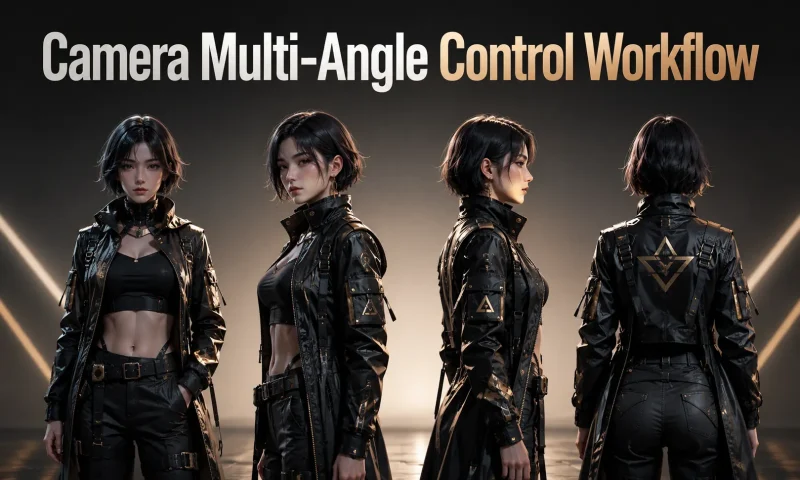
This workflow is based on the Qwen Image Edit 2511 model and the qwen-image-edit-2511-multiple-angles-lora. It can generate new camera angles from an input image, allowing the subject to be viewed from different perspectives.
Model Download
Qwen Edit Model:qwen_image_edit_2511_fp8mixed.safetensors
Download:
https://huggingface.co/Comfy-Org/Qwen-Image-Edit_ComfyUI/resolve/main/split_files/diffusion_models/qwen_image_edit_2511_fp8mixed.safetensors
Location:models\diffusion_models
Multi-Angle LoRA:qwen-image-edit-2511-multiple-angles-lora.safetensors
Download:
https://huggingface.co/fal/Qwen-Image-Edit-2511-Multiple-Angles-LoRA/resolve/main/qwen-image-edit-2511-multiple-angles-lora.safetensors
Location:models\loras
Acceleration LoRA:Qwen-Image-Edit-2511-Lightning-4steps-V1.0-bf16.safetensors
Download:
https://huggingface.co/lightx2v/Qwen-Image-Edit-2511-Lightning/resolve/main/Qwen-Image-Edit-2511-Lightning-4steps-V1.0-bf16.safetensors
Location:models\loras
CLIP / Text Encoder Model:qwen_2.5_vl_7b_fp8_scaled.safetensors
Download:
https://huggingface.co/Comfy-Org/Qwen-Image_ComfyUI/resolve/main/split_files/text_encoders/qwen_2.5_vl_7b_fp8_scaled.safetensors
Location:models\text_encoders
VAE Model:qwen_image_vae.safetensors
Download:
https://huggingface.co/Comfy-Org/Qwen-Image_ComfyUI/resolve/main/split_files/vae/qwen_image_vae.safetensors
Location:models\vae
How to Use
In DFCine Canvas, select an image node, then open the Multi-Angle Control panel from the tools section to generate the prompt. The corresponding workflow node will be created automatically.